
LibraRex
📖 What is LibraRex?
LibraRex is your personal library app — a beautiful, easy-to-use way to keep track of every book in your life. Whether you're an avid reader juggling multiple series, a collector with shelves overflowing, or someone who simply wants to remember what they've read and what to read next, LibraRex keeps it all in one place.
Track books you own, books you've borrowed, your wishlist, and your digital reads — all in one beautifully organised library you can search, filter, and browse instantly.
Point your phone at any book's barcode and LibraRex looks it up automatically — cover art, author, series, everything. Scan one book or a whole stack at once. (iPhone & Android)
LibraRex automatically detects which series your books belong to, shows you what you own in reading order, and highlights the gaps so you know exactly which books to hunt for next.
Lent a book to a friend and can't remember who? LibraRex tracks who you've lent to and who you've borrowed from, so you'll always know where your books are.
Give books a star rating (with half-star precision), write personal notes, log when you finished reading, and tag books by genre — build a record of your reading life.
LibraRex is preparing for initial iPhone, iPad, Android phone, and Android tablet tester releases. Windows remains build-verified outside the first mobile tester gate.
Available on
📸 Screenshots
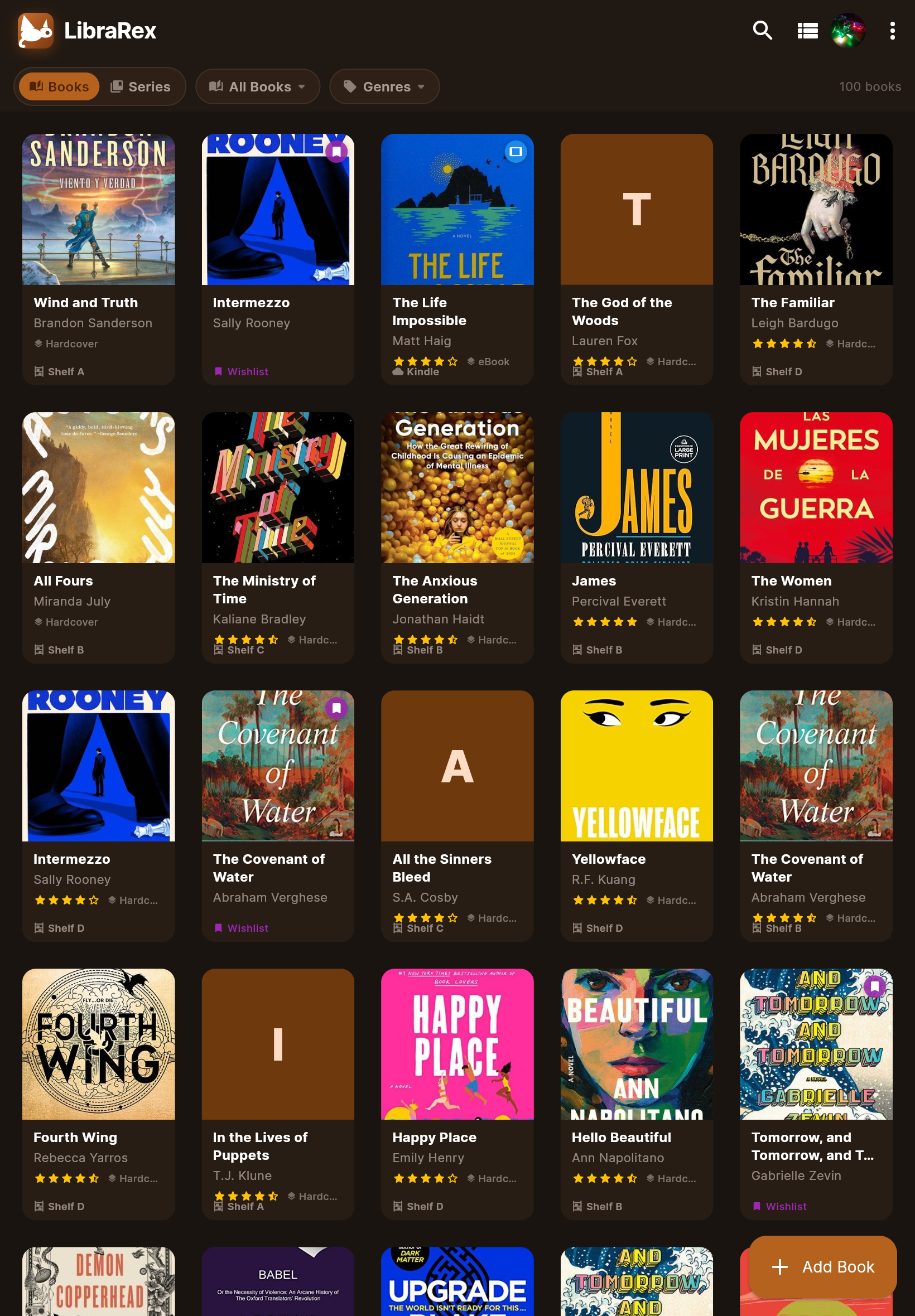
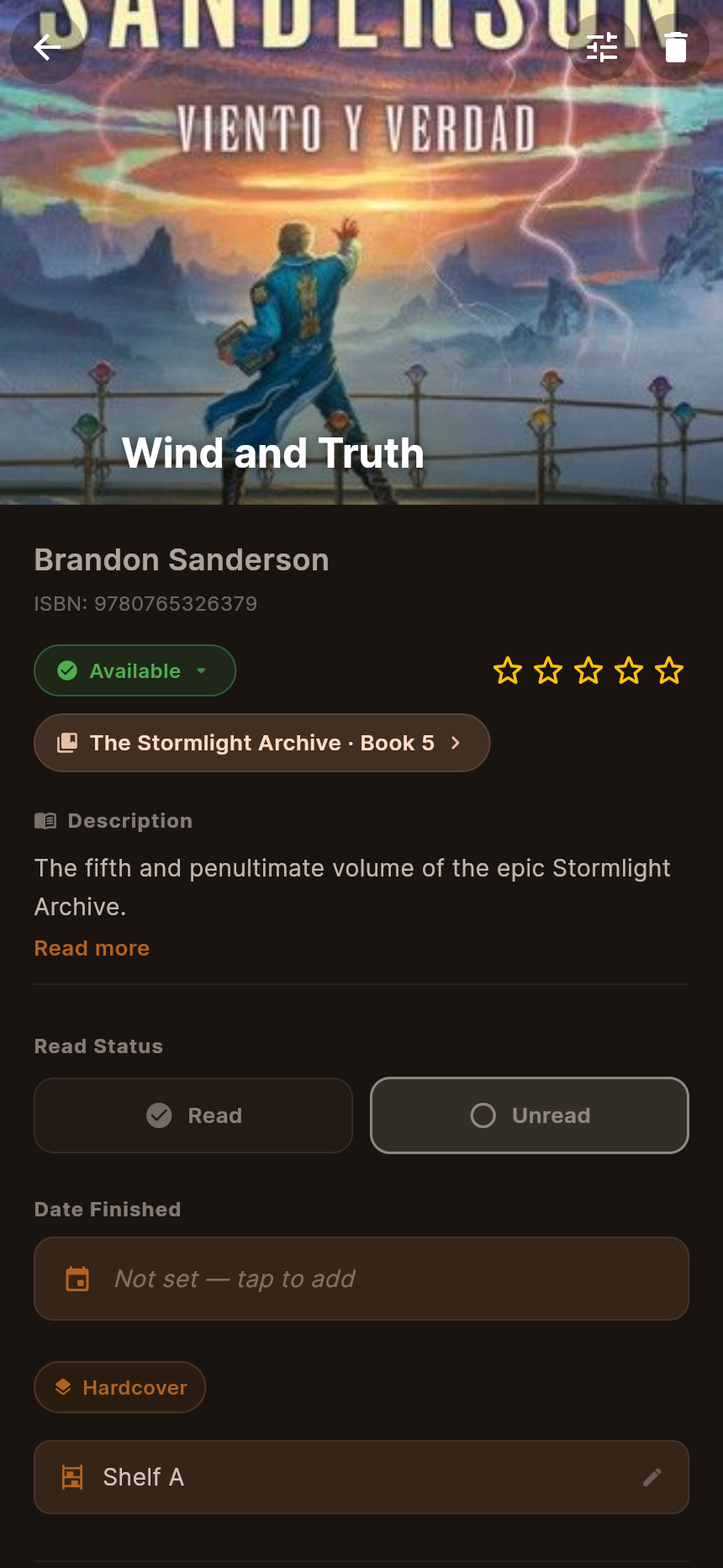
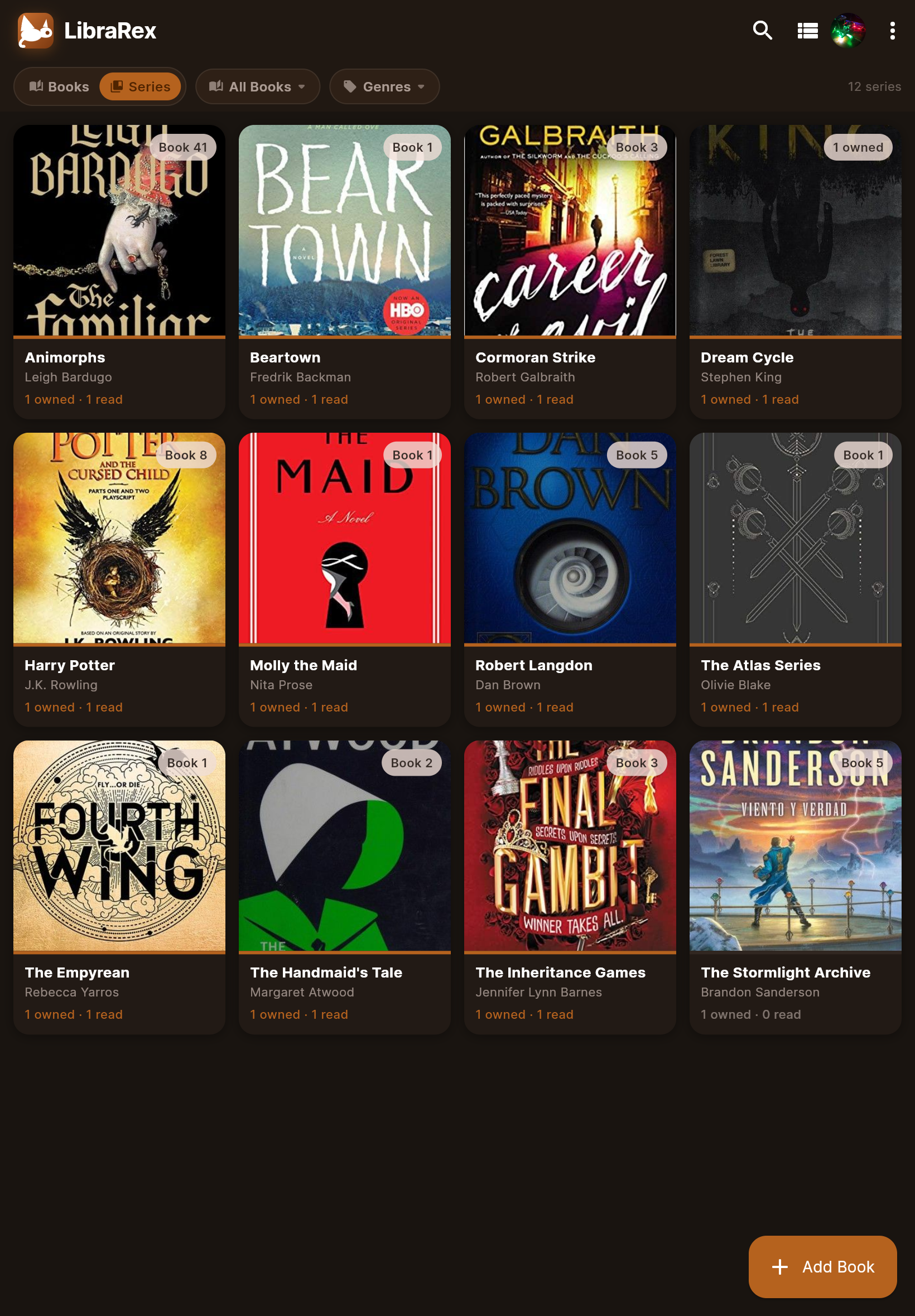
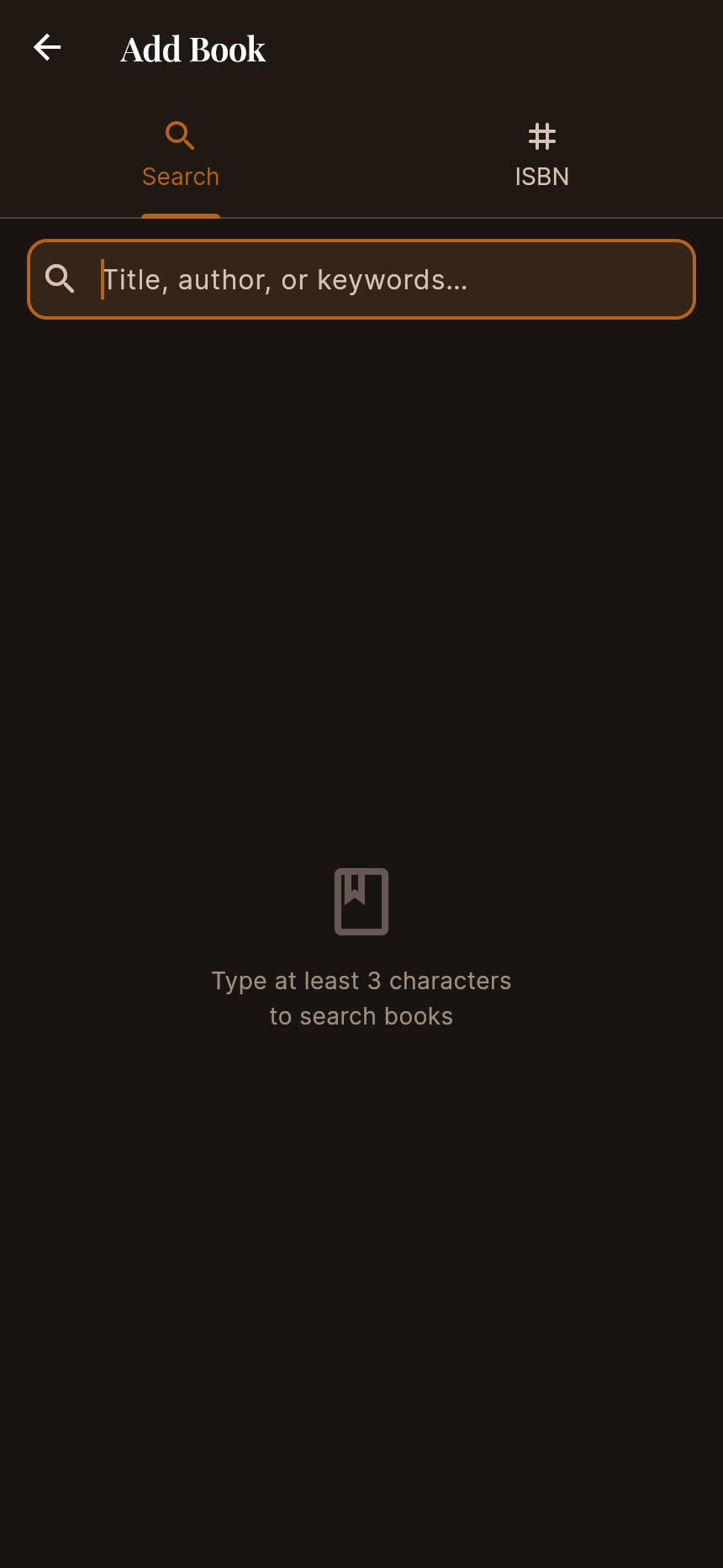
LibraRex running with a real book collection across iPhone and iPad.
🔐 Authentication
OAuth 2.0 via google_sign_in. Session persists across reloads via flutter_secure_storage.
Each Google account gets its own isolated spreadsheet. No data is shared between users.
Confirmation dialog before sign-out. Clears session and returns to the auth screen.
Branded auth screen with the LibraRex T-Rex mascot badge, wordmark, and "Your library app" tagline.
📚 Book Collection Management
Owned, Borrowed, Wishlist, and Digital — each with appropriate icon and colour treatment.
Available, Lent Out (with borrower name), or Missing. Status is filterable independent of type.
Simple read flag displayed as a badge in grid cards and list items.
0.5 increments from 0.5 to 5.0 (e.g. 4.5 ★). Tap left half of a star for a half-star.
Notes, genre, publisher, publication year, ISBN, cover URL, and full blurb storage.
Record who you've lent a book to. Shown prominently in card and list views.
🖥️ Library UI
Card layout with cover art, title, author, and contextual status info at the bottom.
Compact rows with thumbnail, title, author, rating, and type badge overlay on the cover.
Search bar slides in/out with ClipRect animation. Searches title, author, and ISBN.
Two popup filter buttons — Type and Status. Status is always active regardless of type filter.
Swipe down to re-sync the latest data from Google Sheets.
Animated loading placeholders for grid and list views during the initial data fetch.
✏️ Add / Edit & Detail
Dedicated entry point via the library FAB. Search tab with live results (cover, series chip, author) or ISBN tab for direct entry. Tap any result to pre-fill the full form instantly.
Full 18-field form with type picker, status selector, read toggle, format chip picker, location field, and half-star rating.
Search by ISBN or title via Google Books / OpenLibrary. Auto-fills cover, publisher, year, series, and blurb.
Full read-only view with large cover. Inline editable rating and location. Series chip links directly to the Series Detail screen.
Confirmation dialog before removing a book from the library and Google Sheets.
Scans all books to fetch/update cover artwork and blurbs. Progress dialog with per-book status.
🔖 Series Intelligence
LibraRex can discover, display, and track book series — showing you what you own, what's missing, and making it easy to fill the gaps.
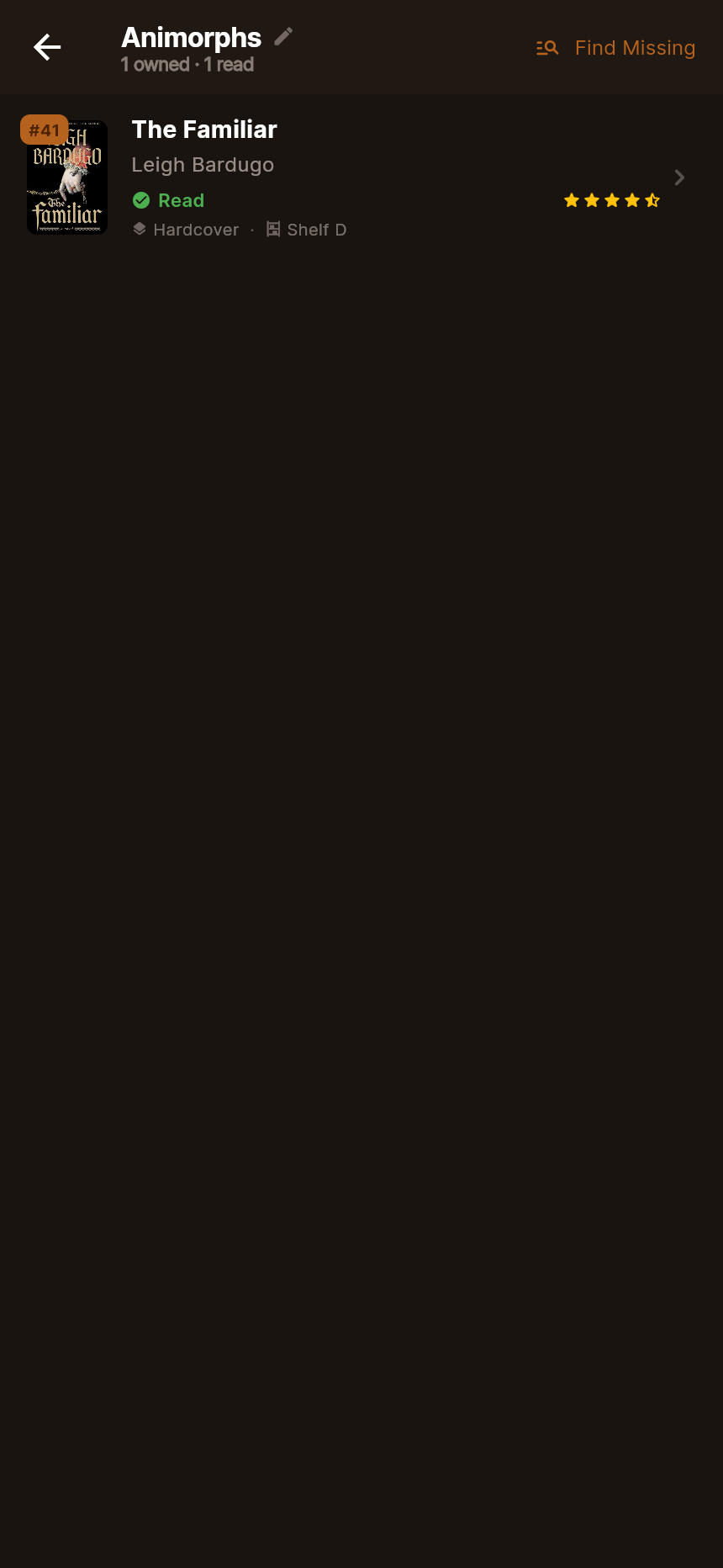
Rich view of all books in a series in reading order. Owned books show with cover art; missing books appear as ghost slots with their order number and title.
4-tier API lookup: Google Books → WikiData SPARQL (exact + fuzzy) → OpenLibrary by series name → OL author + keyword supplement. Catches partial coverage across all sources.
Missing series books shown as dim placeholders. One-tap "Add to Wishlist" CTA turns any gap into a tracked wishlist entry.
Series name editable directly from the Series Detail screen. Changes save to all owned books in the series at once.
Each book slot shows its reading order number. Owned books without a stored order are matched to slots by normalised title comparison.
Filter bar inside the Series Detail screen to quickly find a specific book when a series spans many entries.
↕️ Import / Export
Downloads the full library as a CSV file. Smart decimal formatting (writes "4.5" not "4.5000").
Maps CSV columns to book fields with row-level validation. Reports errors for malformed rows.
Native file picker on iOS, Android, and Windows via file_picker. Platform download utility handles save correctly per platform.
⚙️ Library Manager
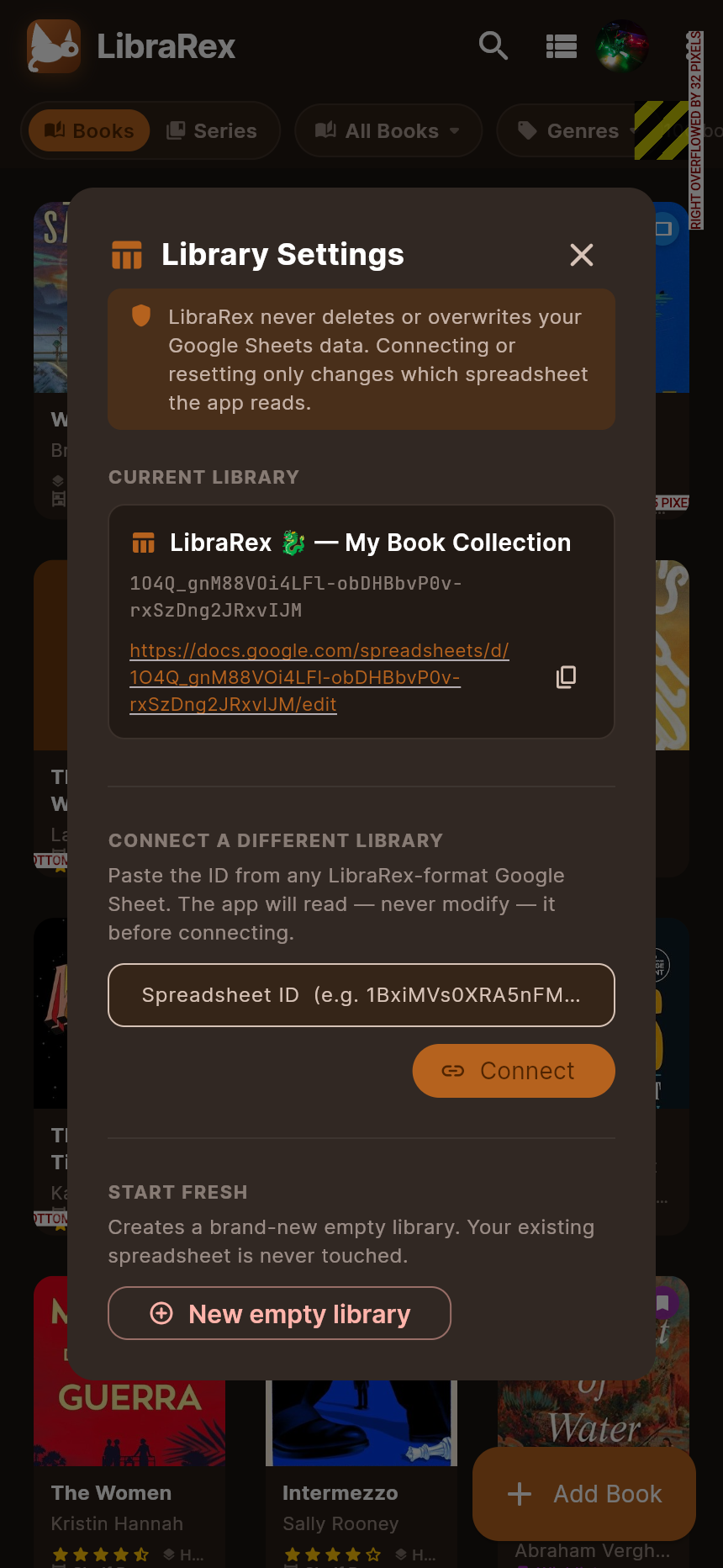
Accessible via the ⋮ overflow menu → Library settings…, the Library Manager gives you a full view of all your libraries and complete control over them — no spreadsheet IDs or technical knowledge required.
All your LibraRex libraries appear in one list — each showing how many books it contains and when it was last updated. The one you're currently using is highlighted with a checkmark.
Tap any library to switch to it instantly. LibraRex validates it before connecting — it will never load a library that isn't in the right format.
Tap the pencil icon on any library to rename it inline. The new name saves to Google Drive immediately so it's easy to find later.
Remove a library you no longer need. It moves to your Google Drive trash — not permanently deleted — so you can restore it any time if you change your mind.
Tap the + New Library button to create a fresh empty library in your Google Drive. Your existing library is never touched — you can switch back to it any time.
LibraRex never permanently deletes your data. Trashing a library only moves it to Google Drive's trash, where it can be restored. Switching or creating new libraries never affects your existing books.
🎨 Brand & Themes


LibraRex is a friendly green T-Rex with reading glasses and a book. The full mascot badge is used for splash, website, and marketing; the simplified mark is used for small app surfaces.
Primary #B5621E (warm cognac), accent #D4943A (gold). Inspired by aged leather and parchment.
Parchment background (#FDF5EC) with white card surfaces. Warm and readable.
Deep brown background (#191410) with warm dark surfaces (#271D15). Easy on the eyes at night.
Follows the device OS preference. Switches automatically between light and dark.
Overflow menu (⋮) cycles System → Light → Dark → System. Updates the whole app instantly.
🗺️ Roadmap
The following are potential enhancements, not yet prioritised or scheduled. They are grouped by theme to aid planning conversations.
☁️ Alternative Backends & Sync
- OneDrive / SharePoint — store the library as an Excel file in a user's OneDrive account, enabling Microsoft 365 users to use LibraRex without a Google account
- Dropbox / iCloud Drive — JSON or CSV file sync for Apple-ecosystem users
- Firebase Firestore — real-time multi-device sync, potential for social / sharing features
- Supabase (PostgreSQL) — open-source Firebase alternative for self-hosters
- Local-only mode — full offline use with no cloud backend required
📶 Offline & Performance
- Hive / SQLite local cache — persist books locally so the app loads instantly and works without connectivity
- Background sync — push local changes to the backend when connectivity is restored
- Optimistic UI updates — reflect edits instantly without waiting for the API round-trip
- Pagination — load books in pages for very large libraries (1,000+ books)
🔍 Book Discovery & Metadata
- Author pages — aggregate all books by an author, with bio from Open Library
- Richer metadata — page count, language, subjects, awards
- Book recommendations — suggest similar books based on genres and ratings in the library
📊 Reading Tracking
- Reading progress — track current page or percentage complete per book
- Reading dates — log when a book was started and finished
- Annual reading goals — set a target number of books for the year
- Statistics dashboard — charts for books read per month/year, genre breakdown, average rating, reading pace
- Reading streaks — gamified daily reading habit tracking
📦 Collections & Organisation
- Multiple shelves — custom named collections (e.g. "Holiday Reads", "Book Club")
- Tagging system — flexible user-defined tags in addition to type/status
- Bulk actions — select multiple books to move, tag, or delete at once
- Custom sort orders — sort by title, author, rating, date added, year published
📥 Import from Other Services
- Goodreads CSV import — map Goodreads export columns to LibraRex fields
- Apple Books — import reading history
- Kindle / Amazon — import purchased and read book lists
- LibraryThing — support the LibraryThing export format
🔗 Export & Integrations
- Notion export — push library as a Notion database
- Airtable sync — two-way sync with an Airtable base
- Push notifications — remind user when a lent book is overdue for return
- Webhook support — trigger external automations on book events
👥 Social & Sharing
- Public profile / shelf — opt-in shareable reading list URL
- Book club mode — shared libraries for a group with per-member read status
- Lend notifications — notify a friend via link when a book is lent
- Book reviews — longer-form review text separate from the notes field
📱 Platform & UX
- iPad / tablet layout — master-detail split view with sidebar navigation
- macOS & Windows desktop — Flutter desktop targets with keyboard shortcuts
- Apple Watch / Wear OS — quick "Mark as read" and lend/return companion actions
- Home-screen widgets — iOS and Android widgets showing current read or recently added
- Accessibility — full screen-reader support, dynamic text size, high-contrast mode
- Internationalisation — multi-language UI (Spanish, French, German, Japanese)
📋 Change Log
All notable changes to LibraRex. Format inspired by Keep a Changelog.
mobile_scanner 6.x. Tested and confirmed working on physical iPhone 17 Pro. ⚠️ iOS Simulator not supported — MLKit ships device-only binaries; always test scanner on a real deviceau.com.aze.librarex; app running on physical iPhone via Xcode personal team signing. Camera permission (NSCameraUsageDescription) added to Info.plist. Minimum iOS version: 16.0 (required by mobile_scanner 6.x)lookupByIsbn now tries OpenLibrary automatically when Google Books returns no result (e.g. regional editions, quota exhausted). Increases successful scan rate for less-common ISBNsinauthor: queries, returning wrong results. Plain keyword search is now the primary pass; inauthor: is a secondary enrichment onlyGoogleService-Info.plist (iOS credentials) removed from git history tracking and permanently excluded via ios/.gitignoremobile_scanner upgraded to ^6.0.0 (from 5.2.0) — resolves MLKit / GoogleUtilities version conflict with google_sign_in on iOSspreadsheets (all Google Sheets) to drive.file (only files created by LibraRex) — consent screen now shows "See and edit files you create with LibraRex" onlySheetsService now searches Google Drive for an existing "LibraRex 🦖 — My Book Collection" sheet before creating a new one, and still recognises legacy tester sheets so reinstalls and cleared sessions reconnect to the existing library automaticallyflutter_secure_storage was cleared (e.g. fresh browser profile or app reinstall)"LibraRex 🦖 — My Book Collection" for easier identification in Google Drivedescription, format, location, series, and seriesOrder columns — all five are now correctly importedSliverGridDelegateWithMaxCrossAxisExtent(200px) — automatically fills available width so wider screens show 4–7 tiles per row instead of a fixed 2genres column (column U) in the Google Sheets schema; stores a comma-separated list of genre labels per booklookupGenres() in BookLookupService — fires Google Books volumeInfo.categories and OpenLibrary subject queries in parallel via Future.wait() and merges deduplicated results/ separators (e.g. "Fiction / Thrillers / General" → "Fiction", "Thrillers"); generic and very short segments dropped automaticallygenres at column U; existing sheets without this column are backwards-compatiblequickSearch() method in BookLookupService — detects name-like queries and uses inauthor: prefix for better author results; single smart query with fallback only when primary returns empty, preserving API quotaprefill: BookLookupResult? parameter on AddEditBookScreen — pre-populates all fields from a lookup result without requiring a second manual lookupauthor:"name" seriesTitle syntaxseries field are now accepted when returned by the combined keyword query (trust the query filtering, not just the metadata field)_normTitle strips leading "Series: " prefix)🚀 Getting Started
Prerequisites
- Flutter SDK ≥ 3.10.0 and Dart ≥ 3.0.0
- Google Cloud project with Sheets API, Drive API, and Google Sign-In enabled
- Platform OAuth clients configured in Google Cloud Console (iOS, Android, Desktop)
- Visual Studio 2022 with "Desktop development with C++" workload (Windows builds only)
Run locally
flutter pub get
flutter run -d ios          # iPhone / iPad
flutter run -d android      # Android device or emulator
flutter run -d windows      # Windows desktop
Key Packages
| Package | Version | Purpose |
|---|---|---|
google_sign_in | ^6.2.1 | OAuth authentication |
googleapis | ^13.2.0 | Sheets API client |
provider | ^6.1.2 | State management |
google_fonts | ^6.2.1 | Inter font family |
cached_network_image | ^3.3.1 | Cover image caching |
shimmer | ^3.0.0 | Loading skeleton effect |
file_picker | ^8.0.3 | CSV import file dialog |
csv | ^6.0.0 | CSV parse & serialise |
flutter_secure_storage | ^9.2.2 | Token persistence |
☁️ Deployment & Google Drive Setup
One of the most common questions is: "If I share this app with someone, what do they have to set up with Google Drive?" The short answer is nothing — end users just sign in with their Google account and the app does everything else automatically. The only one-time setup is done by the developer (you) when configuring the Google Cloud project.
👤 What end users do
From a user's perspective the setup is completely invisible:
- Download and install LibraRex from the App Store (iOS), Google Play (Android), or Windows Store (PC).
- Tap Sign in with Google and complete the standard OAuth consent screen.
- The app automatically creates a Google Sheet called LibraRex 🦖 — My Book Collection in their Google Drive.
- They can start adding books immediately — no spreadsheet configuration needed.
Sheets (read/write) and Drive (file metadata to locate the sheet).
🛠️ One-time developer / operator setup
Before the app can be shared, a developer needs to configure a Google Cloud project once. This is a ~15-minute process:
| Step | Action | Where |
|---|---|---|
| 1 | Create a Google Cloud project | console.cloud.google.com |
| 2 | Enable Google Sheets API | APIs & Services → Enable APIs |
| 3 | Enable Google Drive API | APIs & Services → Enable APIs |
| 4 | Create an OAuth 2.0 iOS Client ID (application type: iOS) | APIs & Services → Credentials |
| 5 | Create an OAuth 2.0 Android Client ID (application type: Android) | APIs & Services → Credentials |
| 6 | Create an OAuth 2.0 Desktop Client ID (application type: Desktop app) for Windows | APIs & Services → Credentials |
| 7 | Add credentials to platform config files (ios/Runner/Info.plist, android/app/google-services.json) and lib/services/auth_service.dart for Windows | Flutter project source |
| 8 | (Optional) Create a Google Books API key and add it to the project | APIs & Services → Credentials |
lib/services/book_lookup_service.dart.
📱 iOS & Android
Build and submit through Xcode / Android Studio as usual. Platform-specific OAuth client IDs go in ios/Runner/Info.plist and android/app/google-services.json respectively. The Sheets and Drive API usage is identical across platforms; only the auth credential type differs.
flutter build ios --release
flutter build appbundle --release   # Google Play
🖥️ Windows Store
LibraRex packages for the Windows Store using the msix pub package. The Windows OAuth flow uses a Desktop OAuth 2.0 client (credentials stored in auth_service.dart) and opens the browser for consent, with a local redirect server to capture the token.
dart run msix:create # produces build\windows\x64\runner\Release\librarex.msix
Submit the resulting .msix to Microsoft Partner Center. A one-time developer account registration ($19 USD) is required before first submission.
🔒 OAuth consent screen & app verification
While in development, add test users to the OAuth consent screen so they can sign in without Google's verification process. For a wider public release, Google requires an app verification review (typically free, takes a few days) to remove the "unverified app" warning from the consent screen. The review verifies that the app only requests the scopes it actually uses.
⚠️ Known Limitations
Technical details for contributors and anyone building on or deploying LibraRex. End users don't need to read past here.
⚙️ Tech Stack
| Layer | Technology | Purpose |
|---|---|---|
| UI Framework | Flutter 3.x / Dart 3 | Cross-platform UI and state management |
| Backend / Storage | Google Sheets API v4 | Persistent cloud data store, user-owned |
| Authentication | Google Sign-In (OAuth 2.0) | Secure identity, per-user sheets |
| State Management | Provider (ChangeNotifier) | App-wide reactive state |
| Fonts | Google Fonts — Inter | UI text throughout the app |
| Image Caching | cached_network_image | Book cover thumbnails with shimmer |
| Import / Export | csv + file_picker | CSV round-trip for data portability |
| Book Lookup | Google Books + OpenLibrary APIs | ISBN / title search for metadata |
| Logo / Artwork | PNG app assets | Two-tier T-Rex system: simplified app icon plus full mascot badge/lockup |
| Loading States | shimmer package | Skeleton screens while loading |
| Token Storage | flutter_secure_storage | Persists auth across app restarts |
🗄️ Data Schema
Each book is a single row in Google Sheets with 21 columns. The sheet is created automatically on first sign-in with a header row.
| Col | Field | Type | Description |
|---|---|---|---|
| A | id | String | UUID — unique stable identifier |
| B | title | String | Book title (required) |
| C | author | String | Author name (required) |
| D | type | Enum | owned | borrowed | wishlist | digital |
| E | status | Enum | available | lent_out | missing |
| F | read | Boolean | true | false — Read / Unread flag |
| G | lentTo | String | Name of person the book is lent to |
| H | isbn | String | ISBN-10 or ISBN-13 |
| I | coverUrl | String | URL to cover thumbnail image |
| J | rating | Double | 0.5–5.0 in 0.5 increments (half-star support) |
| K | notes | String | Free-text annotations |
| L | genre | String | Genre label (curated from OpenLibrary subjects) |
| M | publisher | String | Publisher name |
| N | year | Integer | Publication year |
| O | description | String | Book synopsis / blurb (populated by Scan Library) |
| P | updatedAt | String | ISO 8601 timestamp of last edit |
| Q | format | String | Hardcover · Paperback · Large Print · eBook · Audiobook |
| R | location | String | Shelf / room (physical) or service name (digital, e.g. Kindle) |
| S | series | String | Series name (e.g. "The Stormlight Archive") |
| T | seriesOrder | Double | Position within the series (e.g. 1, 2, 2.5) |
| U | dateFinished | String | ISO date when the book was finished reading |